.ai,78,.asl,2,.dxf,1,.eps,32,.indd,1,.jpg,79,.png,113,.psd,832,.sketch,2,.svg,13,#ACCTags,7,#AdobeCC,7,#comicbook,1,#dc,1,#dccomics,1,#Design,3,#gaming,1,#MakeAdobeCC,7,#marvelstudios,1,#Mizuri,1,2006,89,2007,352,2008,942,2009,1780,2010,1822,2011,1819,2012,1749,2013,237,2014,561,2015,1193,2016,518,2017,743,2018,700,2019,541,2020,24,2021,379,2022,164,2023,182,2024,374,2025,276,2026,117,2am,1,2axion,1,360,4,abragames,3,abril,476,abstract effect photoshop,1,abstrato,230,acer,2,action sequence,1,actions,161,actualidad,1,add depth,1,add dimension,1,add punch to photos,1,add shine to eyes,1,Adicionando objetos em imagens de forma realista usando o Photoshop,1,adobe,66,Adobe CC,7,Adobe Cloud,7,Adobe Creative Cloud,12,Adobe creative suite,7,adobe experience house,1,adobe firefly,4,adobe france,5,adobe lightroom,2,adobe max,4,Adobe Max 2020,2,Adobe Max Sneaks,1,adobe photo shop,3,adobe photoshop,18,adobe photoshop cc,1,adobe photoshop tutorial,1,Adobe Suite,1,aesthetic,1,Aesthetic Photo Manipulation,1,after effects,1,agosto,676,água,1,ai,3,aiper,3,ajax,1,algodão,1,all about photoshop,2,allan portilho,1,animação,40,Animate,1,animation,1,anime photoshop,1,apple pencil,1,apple+,1,appletv+,1,aprender transforma,1,aritana,1,arquivos jpg,1,art,4,arte,30,arte digital,1,artist,3,artistas,15,artistas do photoshop,1093,artistas no instagram,79,artwork,1,Assassin’s Creed,1,aulão #07,1,aulões andre amaral,1,axis,5,backgrounds,4,banco do brasil,1,basekit,1,básico,102,beginner,1,benq,9,bethesda,4,bgs,205,bgs 2020,4,bgs 2021,3,bgs 2022,1,bgs codes,3,bgs collab,1,bgs collab list,1,bgs collab value list,3,BGS Cosplay Outback,1,BGS Day,1,BGS Esports,1,bgs fandom wiki,1,bgs grading,1,bgs technic,1,bgs value list,3,bgs wiki,3,bgs wiki codes,1,bgsa,1,bgsde instagram,2,bgsu,3,big ben,1,blend if,2,blend mode,1,blend modes,2,blending modes,1,Blue Color Cinematic Tone,1,blue tone,1,Blueish,1,blur,1,bmx,1,bokeh,1,booombox,2,borboletas,1,brasil game show,7,brasil game show 2018,3,brasil game show 2019,2,brasil game show 2019 ingressos,2,brasil game show 2019 local,2,brasil game show 2020,8,brasil game show 2021,6,brasil game show data,2,brasil game show ingresso,2,brasil game show samp,7,brasilmegaarena,2,brushes,139,brushes gratuitos,1,bug,1,bunker,1,caio vinicius,1,caligrafia,1,Call of Duty: Morder Warfare,1,cambiar color blanco,1,cambiar cualquier color photoshop,1,campus party,1,canva,4,capa de livro,1,capas,1,capcom,1,cartazes de cinema,140,cartazes de rock,207,cartoon effect,1,cartoonize in photoshop,1,catchlights,1,cc0,1,ccxp,1,céu,1,Champion® Athleticwear,1,Charles Martinet,1,cinemark,1,cinematic,2,cinematic color grading in photoshop,1,cinematic photo effect,1,cinematic tone,1,clima,1,clonar color,1,clonar color photoshop,1,codemasters,1,colin smith,4,colin smith tutorial,4,color blend mode,1,color clone,1,color clone adobe photoshop,1,color correction,1,color grade in photoshop,1,color grading,1,com2us,3,comics,1,como cambiar color blanco,1,como criar flyer,1,como fazer um banner para loja,1,como manipular imagens,1,como usar,1,compare games,2,composition,1,concept art,2,concurso cultural,1,consejos,1,Content-Aware Fill,1,contours,1,Controlling light,1,controlling lights in portraits,1,convites,1,copy,1,copyscan,1,corregir color photoshop,1,cosplayers,1,crear haz de luz con photoshop,1,crear luz con photoshop,1,create light in photoshop,1,create shadow,1,create sun rays in photoshop,1,creative,2,Creative Cloud,15,crehana,1,criando flyer,1,criando flyer no photoshop,1,css3,1,curso de photoshop,1,Curso Photoshop,1,Cursos,2,cursos en línea,1,curta,10,custom game skins,1,custom skins,1,customize fonts,1,cut out hair in photoshop,1,dafont,1,de(ath)sign,237,death stranding,1,design,1,design a flyer,1,design flyers for business,1,Design Gráfico,2,designbunkertp,1,designer grafico,1,dezembro,783,dica ninja,99,dificuldade 1,39,dificuldade 2,388,dificuldade 3,977,dificuldade 4,332,dificuldade 5,56,digital,1,digital imaging photo effects,1,digital painting,2,digitalart,1,dinda,1,dingbats,1,direcionamento,1,disney,1,distortions,4,divulgação,1,diy,32,dji,1,dlink,1,documentário,105,dodging and burning,1,dollarphotoclub,37,double exposure effect,1,double exposure photoshop,1,download,1790,Downloads,824,dramatic eyes,1,draw,1,drawing,1,easy blur,1,easy blur in portrait,1,easy flyer,1,easy photoshop,1,edição,2,Edição de imagens,1,edição de vídeo,3,Edição e efeitos de texto,10,edit fonts in photoshop,1,edit foto sayap,1,edit raw,1,editing,1,editor de imagens,1,edits,1,educacion digital,1,educacion en linea,1,efeito,1076,efeito bokeh,1,efeito neon,1,efeitos,1,effect,1,effet,1,Emma Birski,1,emoticons,1,envelhecido,1,esportes,11,exposição,2,eye retouching,1,fantasy photo editing,1,fantasy photo manipulation,1,fashion photography,1,fastcom,3,fc tech,1,ferramentas online,2,ferrugem,1,fevereiro,592,filme,3,firefly,2,fish,1,fix color,1,fix discoloration,1,flipbook,1,flores,1,flow motion,1,flyer,1,flyer creator,1,flyer de loja,1,flyer design,1,flyer design in photoshop,1,flyer para pizzaria,1,flyer photoshop,1,flyer suplementos,1,fmhy,1,focus stacking,1,folhas,2,font,1,fonte de ícones,1,fonte de nuvens,1,fontes,1004,fontes caligráficas,1,fontes gratuitas,1,force one,2,Forest Manipulation Tutorial,1,formulário de login,1,foto,1,fotógrafa,2,fotografia,4,fotógrafo,2,fotolia,13,fotos newborn,1,fotoshistoricas,39,fotosqueabalaramomundo,75,Frederick Van,1,Frederick Van Johnson,1,Free Photoshop Action,1,fundo,3,game,3,Game Dev,1,Game Development,1,Game Engine,1,gamebau,1,gameplays,1,games,217,gamevil,1,gastore,1,gears 5,1,geométricos,1,getting started,1,gifart,27,Girl Swinging on Tree,1,glyphs,1,gomidia,1,google fonts,1,goPro,1,gotas,1,gradient map,1,gradiente,1,gradientes,9,grafite,1,graphic design,2,graphics,1,grapocean,1,gratis,1,gratuito,1,great vibes,1,greenk,1,growth suplemento,1,grunge,1,guest post,5,guía,1,headset,2,hilab,1,historia da foto,22,hitbox,1,honkai star rail,1,hopi-hari,1,hoplon,21,house painting,1,how to,4,how to customize fonts in photoshop,1,how to cut out hair,1,how to edit photos,1,how to make a pokimane vandal,1,how to make valorant skins,1,how to photoshop,3,html5,3,hype,2,hyperlapse,5,hyperx,41,HyperX Cloud Orbit S,1,hyperx collab,1,HyperX NGENUITY,1,ícones,97,ícones de busca,1,idc,2,illustration,1,illustration tutoriels,1,ilustração,1,ilustração em arte,1,ilustrações,2,image,1,imagem,1,influenciadores,1,infográfico,1,inklab,1,Innovation,1,Insight Kingston,1,inspiração,36,instagram,2,inteligência artificial,5,interface,4,ipad,1,iris,1,íris,1,jameasons,1,janeiro,592,jogos,1,julho,641,junho,522,justin odisho,1,kawaii,1,kingston,19,kingston brasil,1,Kingston Technology,1,kinship,2,kit,1,kraken,1,landscape photography,1,layer mask,1,layer style,44,layers,1,lbee,1,Learn Photoshop,7,learning,1,Learning Photoshop,1,learning screen,2,leitores,1,levelup,15,light rays,1,lightpainting,1,lightroom,3,lightroom editing,1,lightroom tips,1,lightroom to photoshop,1,lightroom tuto,1,lights,1,line man,1,lista,2,listras,1,live-stream,2,livros antigos,1,login,1,logo design,1,Luiza Laffitte,1,Luminar,1,Luminar4,1,lupa,1,magic the gathering,1,maio,456,make a flyer,1,make blue tone,1,make eyes shine,1,manipulação de fotos,1,MANIPULATION,2,mar,1,março,656,mármore,1,Marvel,1,marvelentertainment,1,máscaras,1,masking,1,matéria,1188,maurício de souza produções,1,media,1,melhordasemana,17,membuat efek fantasy,1,mestres da pintura,35,metal,1,meutimao,1,micael widell,1,microsoft,1,minimalist flyer design,1,mob2b,1,mobile editing,1,mockup,172,modify text,1,monster energy,1,montagem,1,montagem photoshop,1,montando flyer,1,moody photo effect,1,música,53,myth vandal,1,natal,2,natureza,1,neon,1,netflix,1,newborn,1,nick page,1,noticias de hoy,1,novedades,1,novembro,815,nuvens,2,nyeleneh art,1,off,1,off-topic,563,olhar,1,olhos,1,ondas,1,outono,1,outubro,873,overlays,1,padrão,1,padrões,2,paining a house,1,painting,1,painting in photoshop,1,palestra,7,panamericana,1,panfleto loja,1,papel antigo,1,parkour,1,patern,45,patterns,3,pdf,2,periféricos,1,pérolas do instagram,1,phothosop 2021,1,photo,1,photo edit,1,photo editing,3,photo effect,1,photo effects,3,photo manipulation,4,photo shop,3,photo to caricature,1,photo to cartoon photoshop,1,photocopy,1,photocraft,2,photography,9,photomanipulation,2,photomontage,1,photopea,1,photoshop,61,photoshop 2027,1,photoshop aprende,1,photoshop art,1,photoshop básico,1,photoshop beta,1,photoshop brushes,1,Photoshop CC,7,photoshop cc 2021,1,photoshop effect,1,photoshop express,3,photoshop for beginners,1,photoshop hair masking,1,photoshop layers,2,photoshop manipulation,2,photoshop manipulation tutorial,1,Photoshop no YouTube,97,photoshop para iniciantes,1,Photoshop Picture Editor,1,photoshop server,1,photoshop tips,4,photoshop tips and tricks,3,photoshop tuto,1,photoshop tutorial,17,photoshop tutorials,3,photoshop tutoriels,1,photoshop web,1,photoshop week,1,photoshop workflow,1,photoshopcafe,4,photoshopcafe tutorial,4,Photoshopプラグイン,1,Photoshop講座,1,photoshp vfx,1,picsart,1,pincéis,1,pintura 3d,1,pixel show,1,pixel stretch effect,1,pixel stretch photoshop,1,piximperfect,11,placa de metal,1,player1,2,plugin,6,plum,1,png,2,poisson,1,Portal,1,portrait retouching,4,positivo,31,post pago,2,post-processing,1,premio esport brasil,11,previsão do tempo,1,prezi,1,printed,1,printer,1,printi,2,processingraw,1,procreate,1,product photography,1,project ten,2,promoção especiaal,1,psd,6,psdownloads,1,pshelp,1,pszuero,2,purgatorium 90,1,Raahil Creation,1,rawar,2,razer,63,razer gold,1,Razer Kraken,1,recortar cabelo,1,recortar imagem,1,recorte de cabelo,1,Reference,1,relink,1123,remini,1,remote connection,1,remotely control photoshop,1,resenha,1,Resident Evil 2,1,Resize,1,responsivo,2,retoque de imagem,111,retoques,1,retouch eyes,1,retrato,2,retrô,2,review,1,rgb,1,rixty,3,rostos,1,saga,14,sakutoAC,1,SavePolarBears,1,scaf,1,scanline,1,scanner,1,scarlet,1,selecaoTP,44,selective color,1,Sem Categoria,39,sensor dust,1,Seso,1,sesohq,1,setembro,707,shadow effect,1,shapes,2,Shota Nakama,1,showreel,7,shroud operator,1,símbolos,1,simple flyer design,1,simple gun skins,1,site,1,skate,59,skillab,1,skin gun masking,1,skin retouching,1,skylum,1,slider,1,smiles,1,smyowl,6,sneaks,1,social media,1,sony,1,speed art,2,speedart,6,speedpaint,8,splashscreen,1,sports design,1,sports photography,1,steam,1,stop-motion,9,Strange,1,street art,1,sunlight effect,1,surrealism,1,svg,1,team liquid,24,tech,3,Tech Insider,1,technology,2,tecido,1,tecido listrado,1,tecnicas,1,tecnologia,1,tectoy,9,template,5,Terry White,1,teste,1,text effect,1,texte,1,texto,272,textura,163,textura 3d,1,texturas,8,texture,1,the king of fighters,2,This Week in Photo,1,TI,1,tilt-shift,3,time lapse action,1,time lapse photoshop,1,timelapse,22,timeline,1,tinta descascando,1,tipografia,7,tips,1,Tom Clancy’s Rainbow Six Siege,1,tp,6,trackmania,1,travel,1,trucos,1,trucos photoshop color,1,tudo,1371,tunning virtual,14,tuto,2,tutoriais com dificuldade 1,14,tutoriais com dificuldade 2,21,Tutoriais com efeitos diversos,13,Tutoriais de Photoshop,72,Tutoriais de retoque de imagem,2,tutorial,2220,tutorial builder,2,tutorial em vídeo,9,tutorial en español,1,tutorial photoshop,1,tutorial player,2,tutoriales de photoshop en un minuto,1,tutorials,1,TWiP,1,tycho,1,Tyler Stalman,1,typographie,1,typography,1,ubisoft,116,udemy,1,ui,15,ui kit,1,unboxing,1,unboxing de acessórios,1,unify tone,1,unity,1,Unity Technologies,1,unity3d,1,unmesh,1,unmesh dinda,9,unmeshdinda,1,update,1,vaio,3,vetorial,1,vice,64,vídeo,741,vídeo aula,2184,video mapping,3,videogame,1,vidro,1,vintage,1,visa,1,vitral,1,volume,1,wacom,3,wallpaper,1,warp,1,warspear,1,Watch Dogs Legion,1,wbgames,2,weather icons,1,web,25,web design,4,webfont,1,whey suplemento,1,windows,1,wix,3,Woman Swinging,1,woodcutter,1,xma,5,y ahora que,1,youtube,2,YouTube Gaming,1,yt:cc=on,1,색보정,1,어도비,1,이중노출,1,좐느,1,포토샵,1,포토샵 강좌,1,포토샵cc,1,포토샵강의,1,포토샵기초,1,포토샵합성,1,アドビ,1,さくとac,1,フォトショップ,1,レタッチ,1,写真,1,合成,1,後期,1,後製,1,画像加工,1,


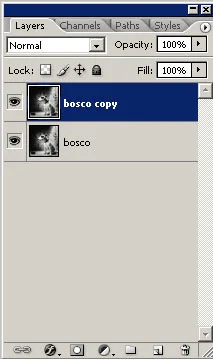
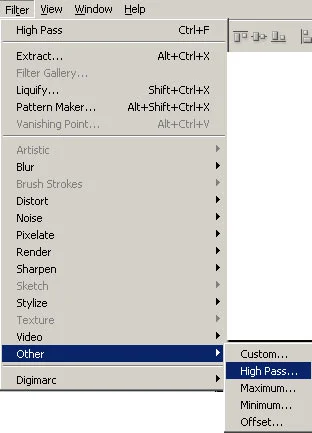
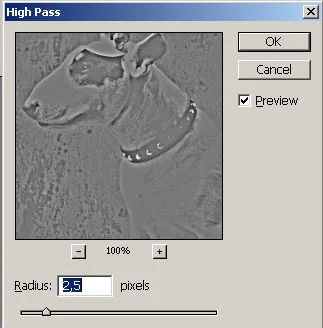
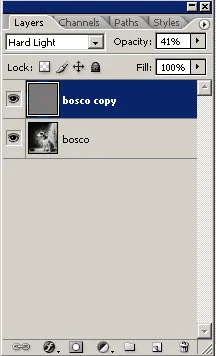
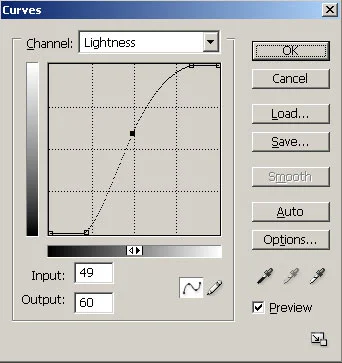




Oi olha só eu estou aprendendo muito com esse tutorial meus parabens ele é muito bom mesmo só que tem um detalhe, por favor tradus e esplica melhor esse negócio de mudar o nome da Layer (camada) pois não tenho e não acho em lugar algun o que é bosco me ajuda por favor. desde ja muito obrigado
ResponderExcluirOi Anônimo, bosco é um nome dado para a layer apenas isso, poderia se chamar Layer 1 ou foto, é apenas um nome :), obrigado pela visita e pelo elogio ao blog, fico feliz que esteja aprendendo técnicas novas, volte sempre!! :)
ResponderExcluiroi, andre, seu blog é de fato um sucesso. Parabéns desde ja. O passo a passo da nitidez em fotos pb foi excelente. Isso vale também pra fotos em cor? e vê só: tenho um jornal aqui na Cidade e vez por outra chegam fotos digitais de baixa luminosidade ou muito saturadas. como fazer para buscar um equilíbrio para manter a qualidade, cores e nitidez?
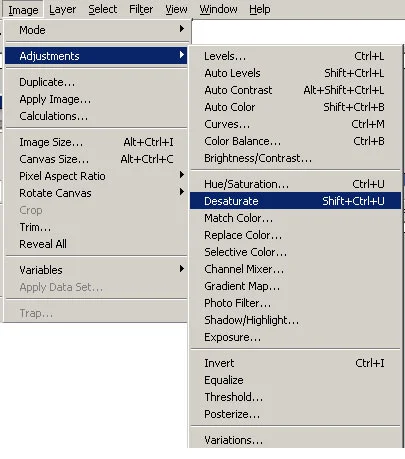
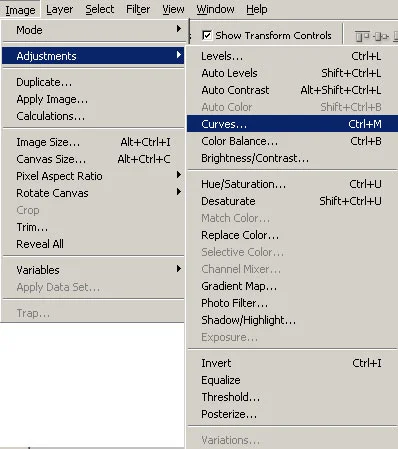
ResponderExcluirOi Agência TAU, não tentei usar esta técnica em imagens coloridas para ser sincero, quanto a luminosidade no Photoshop CS3 existe um recurso muito bom que pode lhe ajudar, indo em Image> Adjustments> Shadow/Highlight, ele permite um controle bem avançado de luzes e sombras na foto, criei um tutorial mostrando suas funcionalidades e pode ser visto aqui, quanto a saturação basta ir em Image> Adjustments> Hue> Saturation ou pressionar Ctrl+U para abrir a caixa de Hue/Saturation, e movimentar o slider de saturation para obter o resultado desejado, obrigado pela visita!!.
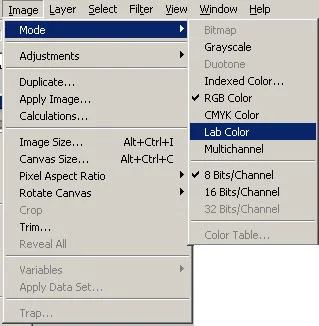
ResponderExcluirOlá, gostaria de aplicar isso numa imagem *.tiff em grayscale e já de início não está habilitada a opção desature. O que pode estar errado com a minha imagem?
ResponderExcluirHá alguma outra maneira de definir melhor uma imagem que estava com resolução muito ruim e quando aumentada deixou a imagem com manchas? Detalhe: preciso melhorá-la para reproduzi-la em flexografia.
Obrigada
Oi Anônimo, bom, se sua imagem está em Grayscale o ideal seria mudar o modo de cor dela para RGB caso você queira seguir os passos deste tutorial, para isso vá em Image> Mode> RGB, quanto a imagem em resolução ruim, depende do tipo de imagem que você está trabalhando, existem várias técnicas que melhoram mas nunca será a mesma coisa de se trabalhar com uma imagem em alta-resolução... obrigado pela visita!!
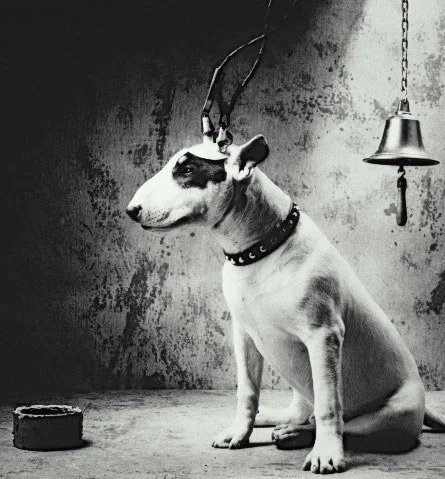
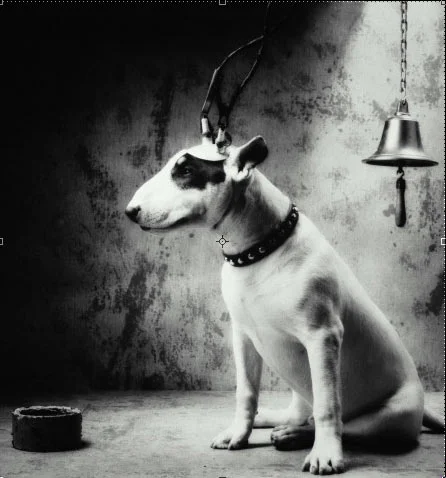
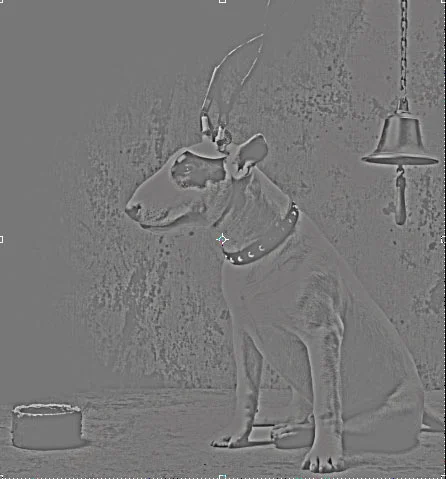
ResponderExcluirque cachorro bonito
ResponderExcluireu adoro este site, mas tem muitas fotos que eu não consigo salvar em JPG, como esta por exemplo =(. é mto tarde pra pedir ajuda?! Obrigada!!!
ResponderExcluirótimo tutorial, vc explica passo-a-passo, muitos por aí pulam muitas coisas ou não deixam bem claras e geralemente quem procura são leigos em photoshop e por isso acabam ficando perdidos, como eu já fiquei em muitos outros por aí. Parabéns;)
ResponderExcluirNÃO DÁ PRA SALVAR EM JPG?? COMO EU CONVERTO A FOTO?? EU USO O CS5. RESPONDE AQUI.
ResponderExcluir